
|
NOTE: Project Analytics is only available on paid plans. |
A Moderator has exactly the same access rights to Project Analytics as an Administrator. There are 3 ways to access Project Analytics:
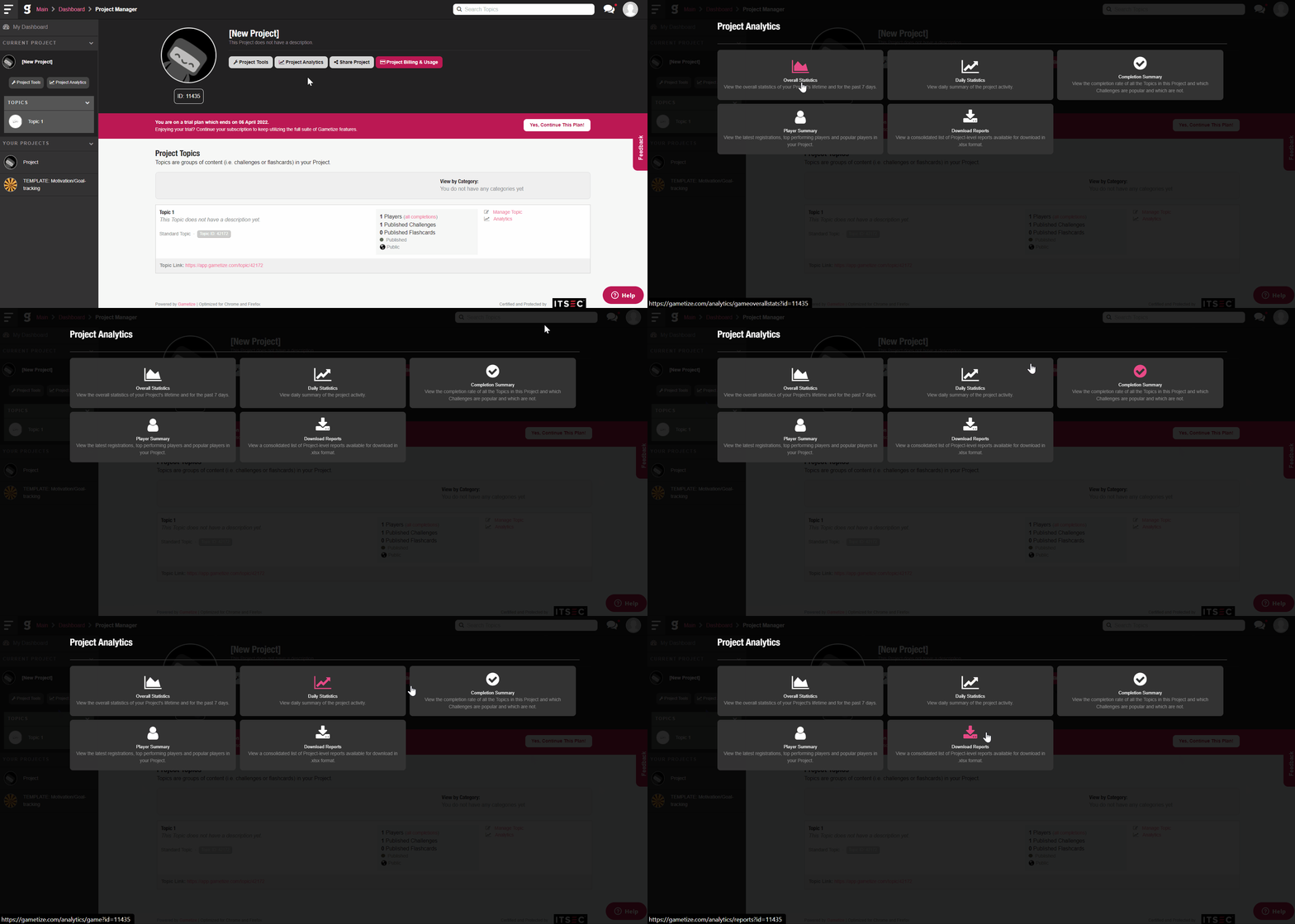
Accessing Project Analytics via the Project Manager
- Log in to your Administrator account and select any Project from your Dashboard.
- Click on
 to launch the popup panel.
Accessing Project Analytics via the Navigation Sidebar
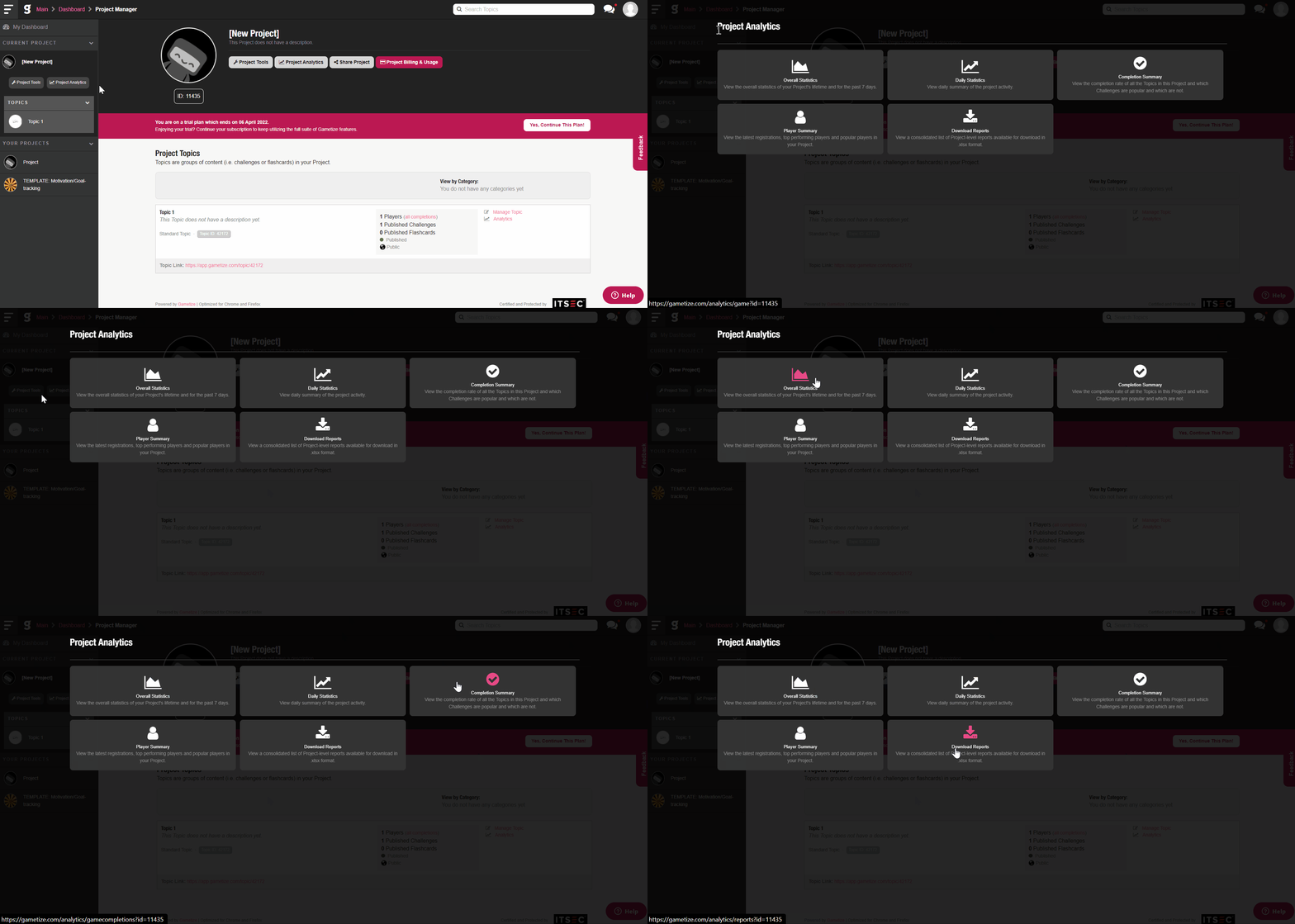
- Log in to your Administrator account and select any Project from your Dashboard.
- You will be directed to the Project Manager.
- Click on
 to expand the Navigation Sidebar.
 - Below the Project Title, click
 to launch the popup panel.
 - You can also access Project Analytics when you are in the Topic Manager, allowing you to switch between Project and Topic Tools easily.
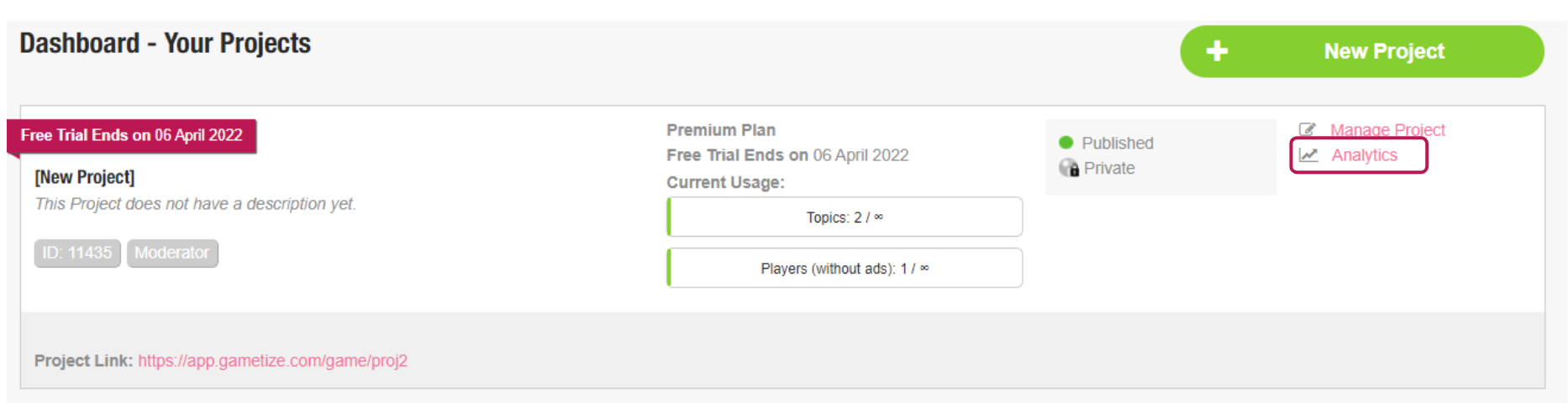
Accessing via Project Card
- Log in to your Administrator account.
- Search for the Project you wish to view Project Analytics.
- Select
 and go on to explore!
From there, you will be able to access different data:
To learn more about Project Analytics, see related articles in Analytics.
|
Related Articles: |
Comments
0 comments
Please sign in to leave a comment.