Coming Soon: Upcoming Redesign of the Challenge Page

Hello Admins and Creators,
Following up from our earlier post about the Upcoming Gametize UI/UX refresh, we’re now excited to share a closer look at the redesigned Challenge Page, one of the key updates rolling out soon!
Current layout (2 big columns)
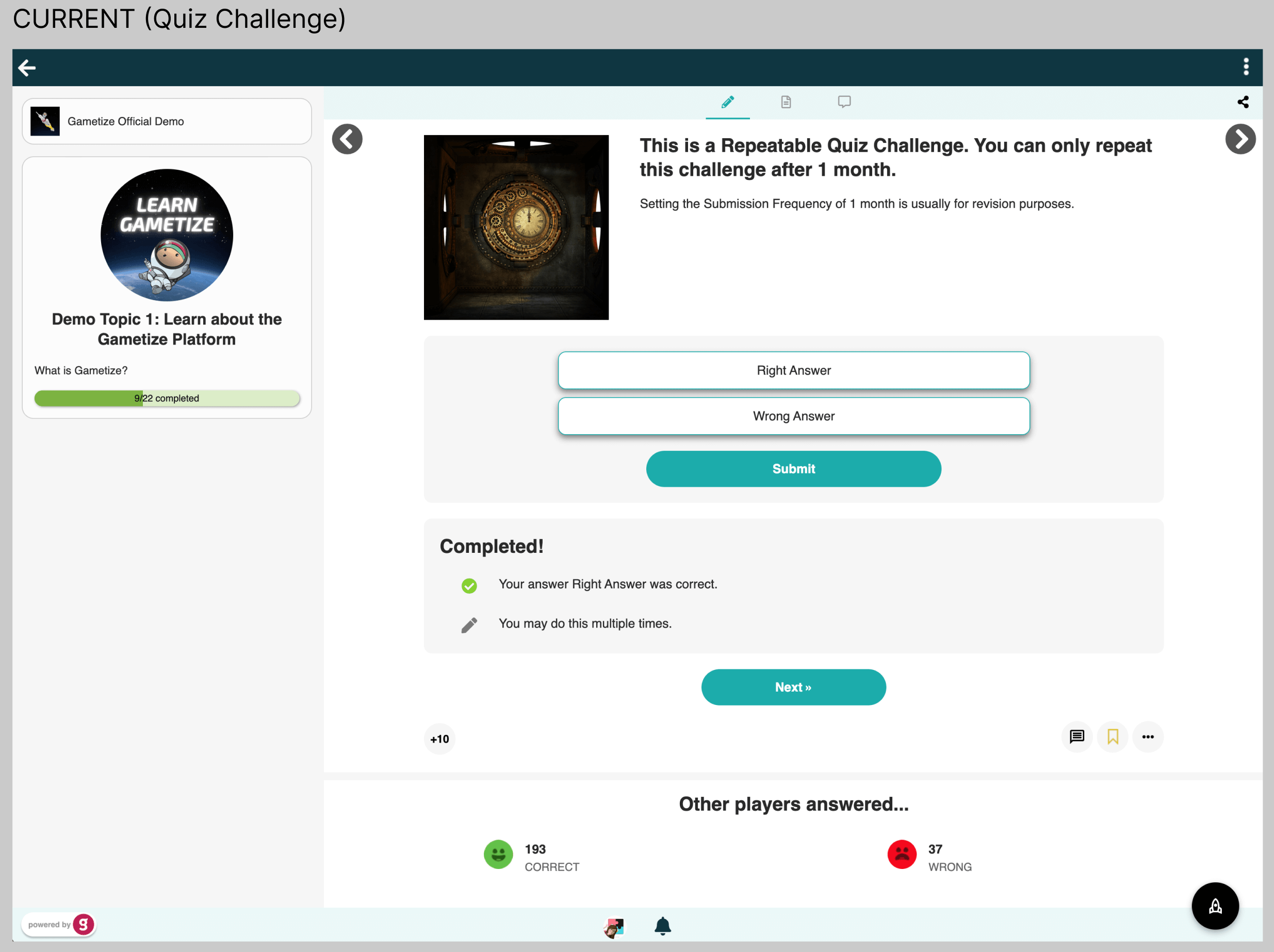
Left column:
Topic card with topic image and description.
Right column (main content):
At the top, the layout splits into 2 sub-columns:
- Left sub-column: Native challenge image
- Right sub-column: Title and description
Below, the layout merges back into 1 column with:
- Quiz/answer box and submit button
- “Completed” box after submission
- “Other players answered” info at the bottom
New layout (1 column)
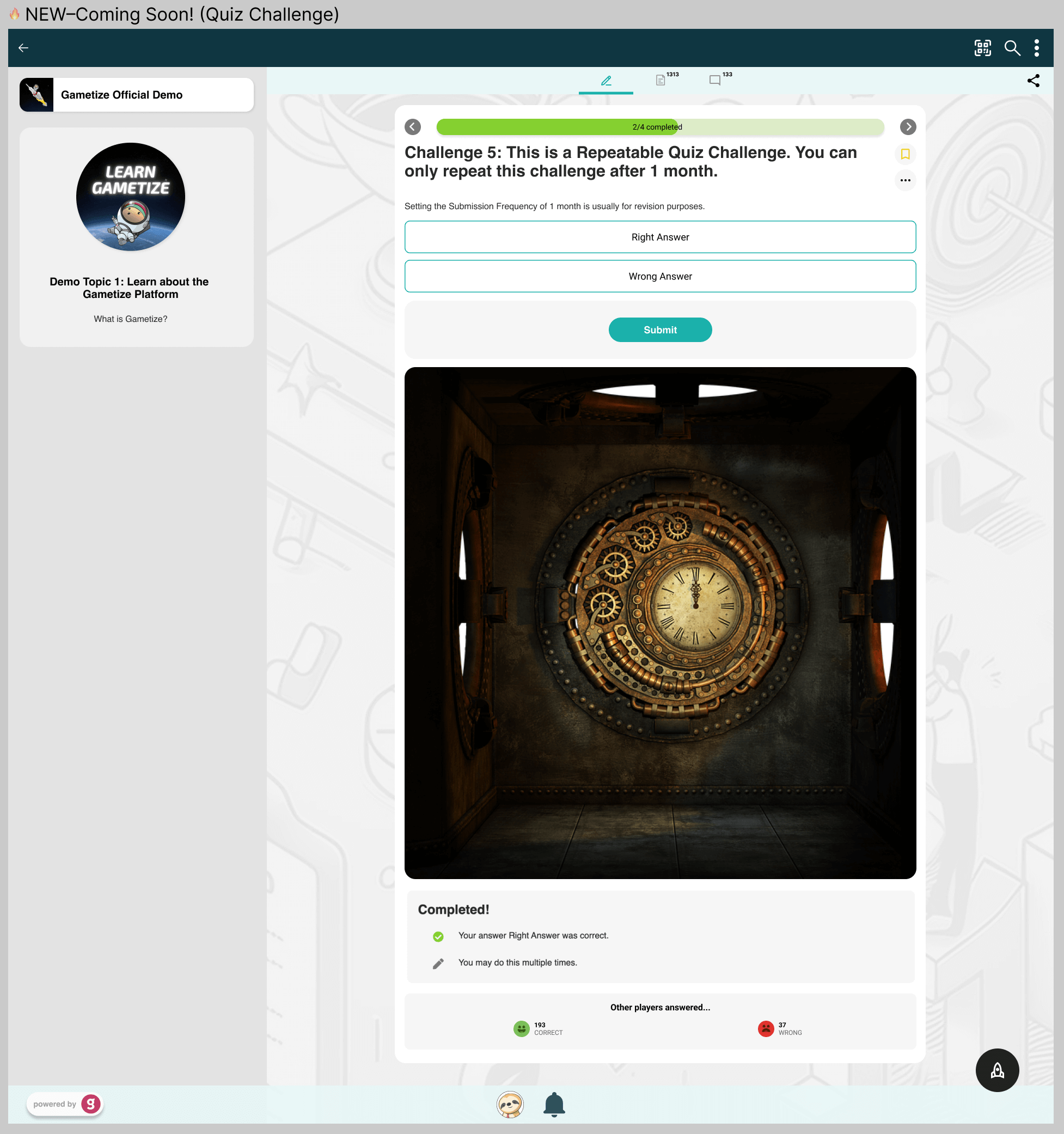
- A clean single-column design for the main content
- Title and description appear first at the top
- Quiz/answer box follows directly after
- Native challenge image now appears centered at the bottom of the page (You can choose to show or hide this image)
- After completion, players will see the “Completed” status box followed by Other players answered…
Other UI updates
- The +10 layout is removed (you’ll now find this under the Activity tab)
- The comment icon is removed (comments now live in the Comment tab)
- The bookmark and More (...) icons are now placed vertically next to the challenge title
🔥 Why this matters for Admins
Some of you use the native challenge image at the top to display instructions players must read before attempting a challenge. With the new layout, the native image will sit at the bottom instead.
👉 If your image contains important instructions, we recommend adding it to the description box using the Rich Text Editor (RTE). This way, you can insert the image exactly where you want it (for instance: inline, formatted with text) so your players won’t miss it.
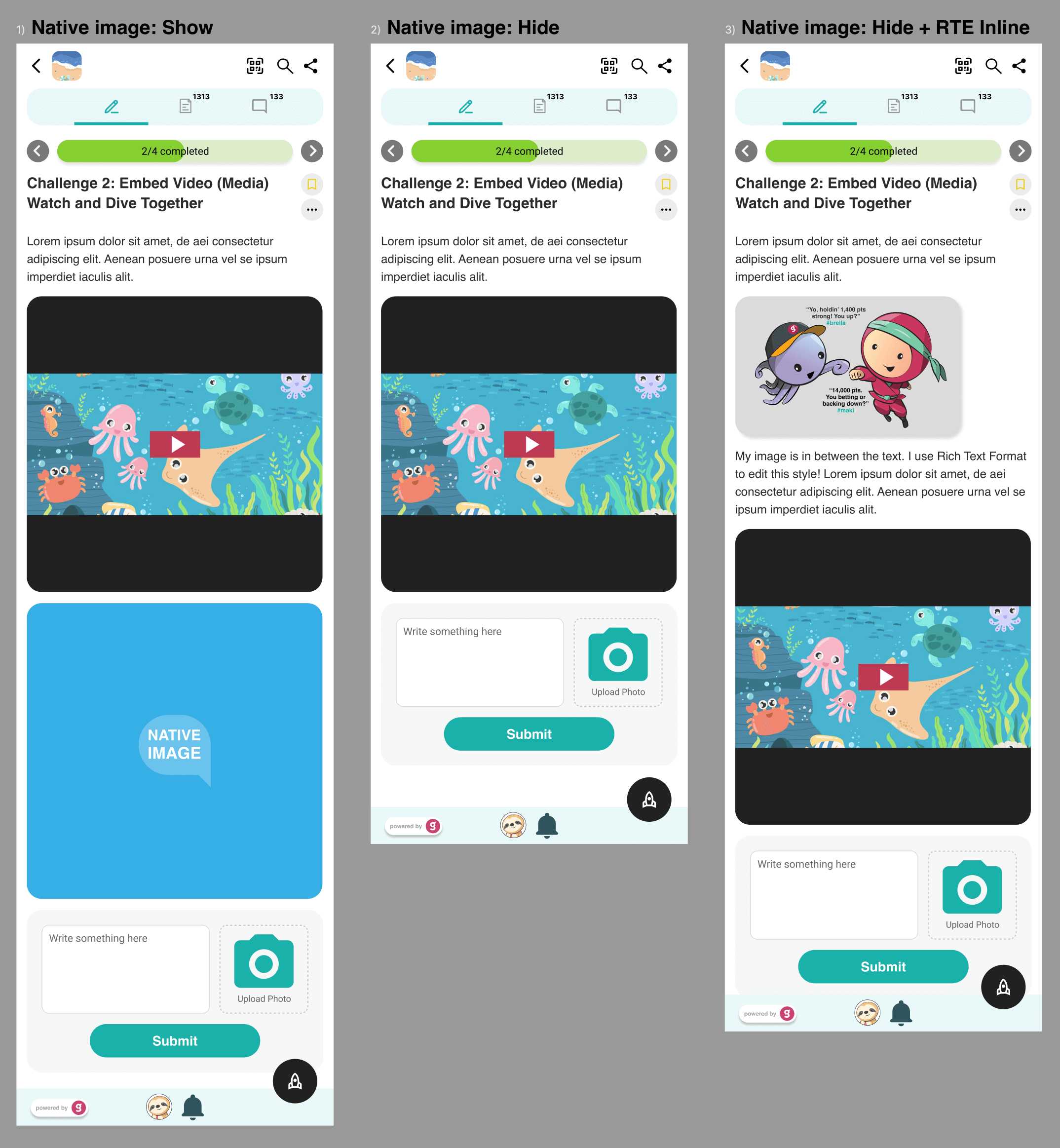
You now have two flexible ways to use images:
- Insert images in the description (RTE) for must-read instructions.
- Use the native image at the bottom as an optional visual (with show/hide control).
TL;DR
- Challenge Page will switch to a single-column layout.
- Native challenge image moves to the bottom with a show/hide option.
- Use the RTE description box for key instruction images that players must see first.
We’ll share another update once this layout goes live. Stay tuned!
-
Updates on the upcoming Challenge Page redesign:
- Oct 2025: New Challenge Page Layout Rolling Out 1 December 2025
- Sept 2025: Coming Soon: Upcoming Redesign of the Challenge Page
- Aug 2025: Sneak Peek: The New Gametize UI/UX is Coming!
Please sign in to leave a comment.
Comments
1 comment