
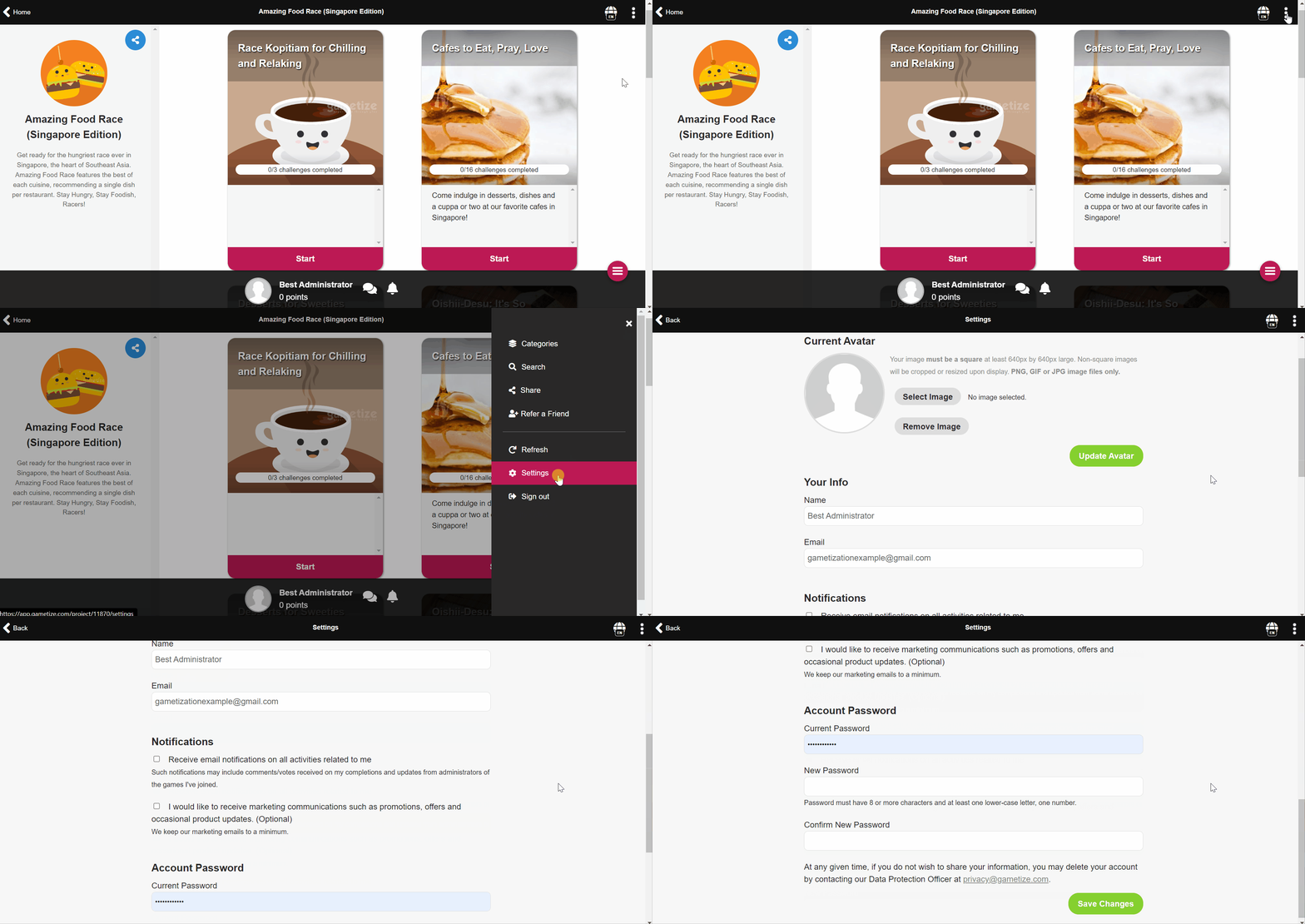
Forms on the Settings page have been refined with several fields removed, leaving just the necessary ones.
To access the settings page:
- Click on
 and select Settings.
 - Scroll down the page and edit the fields as needed.
- Click on
 to update the avatar.
 - Click on
 to save changes to your settings.
Comments
0 comments
Please sign in to leave a comment.